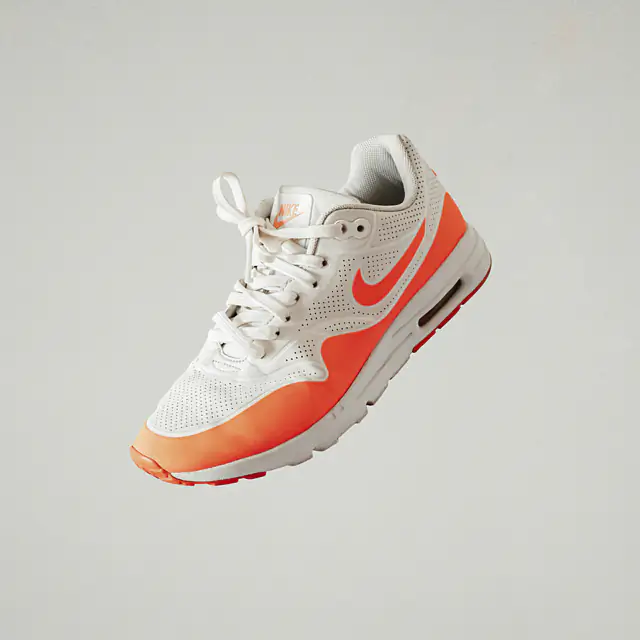
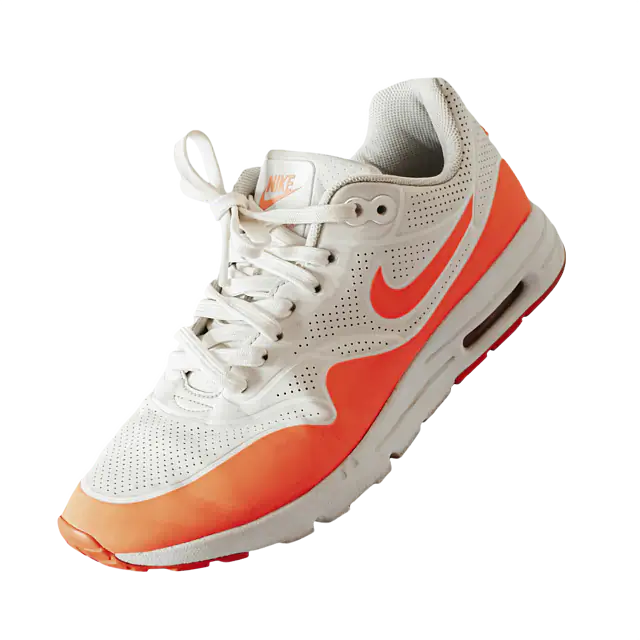
Product photo cleanup is much more involved in production than a single API call. The API call is just the part where a messy source image becomes a cleaner image. The real automation problem is everything around that moment: where the images come from, what "clean" means for your catalog, how outputs are named, which versions get generated, what happens when one product fails, and how the finished assets get back into the system your team actually uses.
A good cleanup pipeline can take mixed supplier photos, phone shots, Shopify media, CMS uploads, Airtable attachments, Google Drive folders, S3 objects, or local files and turn them into assets that look like they came from the same source and match your branding. A good pipeline for this should create consistent outputs, skip already completed work, retry failures, and route weird outputs to review instead of blindly publishing them.
I'll use the BackgroundErase API in the examples where background removal is needed, but this article is about the broader product-photo system. For a deeper explanation of transparent PNG output, alpha masks, and halo handling, use the transparent PNG guide. Here, transparency is just one ingredient in the catalog workflow.
Pipeline shape
Raw images in, catalog-ready assets out.
- Define the final asset standard before you automate anything.
- Keep originals so you can reprocess for new channels later.
- Generate multiple derivatives from a consistent master output.
- Track every SKU through pending, processing, review, ready, and published states.
- Push cleaned assets back to storage, a catalog, or an ecommerce platform.
01
Define the final asset standard
In building a pipeline you should have a solid idea of what "clean" means for you. One store might need a white 2000x2000 JPEG with the product centered and a small natural shadow. Another might need a transparent PNG master, tight crop, WebP thumbnails, and manual approval before any image goes live.
Example asset standard
{
  "catalog": "main-store",
  "source": "supplier-upload",
  "canonicalOutput": {
    "canvas": "square",
    "width": 2000,
    "height": 2000,
    "background": "#ffffff",
    "format": "jpg",
    "paddingPercent": 8,
    "shadow": "natural-if-clean"
  },
  "derivatives": [
    "transparent-master",
    "white-2000",
    "marketplace-1600",
    "thumbnail-webp"
  ],
  "reviewBeforePublishing": true
}
This standard becomes the contract for the rest of the system. It tells the worker which output formats to create, the reviewer what to approve, and the catalog sync job which asset should become the primary product image. Consistency between differing image setups should remain paramount.
Background
Transparent, white, brand color, natural scene, or custom background image.
Canvas
Square, original aspect ratio, marketplace-specific dimensions, or padded product card.
Subject placement
Centered, top aligned, consistent margin, tight crop, or room for labels and shadows.
Publishing rule
Autopublish safe products, require review for risky categories, or export for manual upload.
02
Preserve the original product photo
Product cleanup needs originals for a different reason than a simple upload flow. You may need to reprocess the same source for a new marketplace, a new theme, a higher-resolution PDP image, a seasonal background, or a better model later. If the only thing you keep is a flattened white JPEG, you have made every future change harder.
Object layout
products/sku_123/source/original.jpg
products/sku_123/clean/transparent.png
products/sku_123/clean/white-2000.jpg
products/sku_123/clean/marketplace-1600.jpg
products/sku_123/clean/thumb.webp
products/sku_123/metadata/cleanup-job.json
This layout keeps one product's raw source, clean outputs, and job metadata together. The exact storage system does not matter. The principle does: source images are durable inputs, clean files are reproducible outputs, and metadata explains how each output was created.
Keep the source hash with the job. It lets you skip duplicate work when the same supplier image appears under multiple filenames or when a batch is accidentally submitted twice.
03
Pick cleanup recipes
A recipe is the repeatable set of output choices for one asset type. It might use background removal, canvas rendering, resizing, background flattening, format conversion, or all of those together. The point is to make the worker follow a named recipe instead of scattering one-off flags throughout the codebase.
Cleanup recipes
transparent-master:
  format=png
  channels=rgba
  crop=false
  size=full

marketplace-white:
  format=jpg
  channels=rgba
  bg_color=#ffffff
  crop=true
  size=hd

design-asset:
  format=png
  channels=rgba
  crop=true
  size=full

catalog-thumbnail:
  format=webp
  channels=rgba
  bg_color=#ffffff
  crop=true
  size=medium
BackgroundErase can produce the transparent master, white-background
image, design asset, or thumbnail starting point through fields like format, channels, bg_color, crop, and size. The article on transparent
PNGs goes deeper on RGBA and alpha details; here the important move
is versioning the recipe so future output changes are intentional.
Background removal call
const form = new FormData();
form.append("image_file", sourceFile, sourceFile.name);
form.append("format", "png");
form.append("channels", "rgba");
form.append("size", "full");
form.append("crop", "false");

const response = await fetch("https://api.backgrounderase.com/v2", {
  method: "POST",
  headers: { "x-api-key": process.env.BACKGROUNDERASE_API_KEY },
  body: form,
});

if (!response.ok) {
  throw new Error(await response.text());
}

const transparentMaster = Buffer.from(await response.arrayBuffer());
04
Process images in batches
Batch processing is the heart of product cleanup automation. The worker reads a list of product images, resolves each source, checks whether the current recipe has already been applied, processes the image, writes outputs to predictable keys, and records status per SKU.
Input sources
S3 or R2:
  s3://catalog-raw-images/sku_123/front.jpg

Shopify:
  product_id, variant_id, media_src

CMS:
  entry_id, image_field, source_url

Airtable:
  record_id, attachment_url, sku

Google Drive or local folder:
  folder, filename, inferred_sku
Batch worker shape
for (const product of products) {
  const source = await resolveSourceImage(product);
  const sourceHash = await hashSource(source);

  if (await outputAlreadyExists(product.sku, sourceHash, recipeVersion)) {
    markSkipped(product.sku, "already_processed");
    continue;
  }

  const job = await createCleanupJob({
    sku: product.sku,
    sourceKey: source.key,
    sourceHash,
    recipeVersion,
    status: "processing",
  });

  try {
    const transparentMaster = await runBackgroundRemoval(source, "transparent-master");
    const derivatives = await renderDerivatives(transparentMaster, product);

    await storeOutputs(product.sku, derivatives);
    await markReady(job.id, derivatives);
  } catch (error) {
    await classifyAndRecordFailure(job.id, error);
  }
}
The useful distinction is transient versus permanent failure. Retry timeouts, 429s, and 5xx responses with bounded backoff. Mark corrupt files, unsupported formats, missing source URLs, and known bad inputs as permanent failures so the batch can keep moving.
Avoid duplicate work
Use source hash plus recipe version as the idempotency key. If both match an existing output, skip it.
Log by SKU
Operators think in products, not request IDs. Keep request IDs too, but make SKU and product ID first-class fields.
05
Normalize canvas and padding
Product-photo cleanup is often less about removing the background and more about making the catalog feel consistent. If one product fills 98 percent of the frame and the next fills 45 percent, the grid looks sloppy even if both backgrounds are technically clean.
Canvas rules
canvas:
  type: square
  width: 2000
  height: 2000
  background: "#ffffff"

productPlacement:
  fit: contain
  maxWidth: 84%
  maxHeight: 84%
  anchor: center

padding:
  top: 8%
  right: 8%
  bottom: 8%
left: 8%Square canvas
Useful for marketplaces, category grids, thumbnails, and any layout where every product card has the same box.
Consistent padding
Prevents a mug, a shoe, and a chair from appearing at wildly different visual sizes in the same grid.
Tight crop
Good for reusable design assets, but risky if every product needs a common shelf or card composition.
White background
Required by many marketplaces and still useful as a derivative even when you keep a transparent master.
This is where a transparent master helps. You can remove the background once, then render a square white JPEG, a padded product card, and a transparent design asset from the same clean foreground.
06
Generate channel-specific derivatives
A catalog rarely needs one output. It needs the right output for each channel. The product detail page might want a high-resolution white JPEG. The design team might want a transparent PNG. Search and category pages might want a WebP thumbnail. A marketplace feed might have its own dimensions and background rules.
Transparent master
Keep as the reusable clean source for future rendering, design work, and channel-specific derivatives.
White 2000x2000 JPEG
Use for marketplace feeds and storefronts where white-background product photography is the standard.
Thumbnail WebP
Use for grids, search, recommendations, and internal tools where fast loading matters.
Review preview
Use a compact image plus source comparison for humans checking low-confidence or unusual products.
Generate derivatives from a known master when you can. Re-running background removal for each size and format is more expensive and makes outputs harder to compare when a support ticket asks why two versions of the same product look different.
07
Add review states
Automation does not mean every image should auto-publish. The better pattern is to let straightforward images flow through while routing risky outputs to a human review queue. That keeps throughput high without pretending every supplier photo is equally easy.
Cleanup states
pending:
  source found, not processed yet

processing:
  worker is creating clean outputs

ready:
  outputs generated and safe to publish

needs_review:
  output exists, but confidence or visual rules need a human check

failed:
  corrupt, unsupported, unreachable, or permanently rejected source

published:
  cleaned image has been synced to the catalog destination
Low contrast
White product on white background, black product on black background, or noisy supplier lighting.
Reflective or transparent objects
Glass, jewelry, bottles, windows, glossy metal, and products where background shows through.
Complex geometry
Handles, holes, spokes, straps, furniture legs, chains, cables, and fine product details.
Shadow decisions
Furniture, cars, shoes, and larger products where natural shadow can be part of the selling image.
Review states also help your team tune automation. If jewelry always
lands in needs_review, that is not a failure of the
queue. It is a signal that this category needs different rules,
human approval, or a specialized photo standard.
08
Store and publish the cleaned assets
The final step is not "download output.png." It is getting the cleaned assets back into the place where products are managed: storage bucket, Shopify product media, CMS record, CSV, Airtable attachment, marketplace feed, or review queue.
Delivery targets
S3 or R2:
  write clean URLs into product metadata

Shopify:
  upload cleaned media, then update product image ordering

CMS:
  attach derivative URLs to the product entry

CSV:
  export sku, source_url, clean_url, status, failure_reason

Review queue:
  send low-confidence outputs to an internal approval tool
Keep file names predictable. A good key includes SKU or product ID, output type, dimensions or recipe name, and enough versioning to avoid overwriting a previous standard by accident. The goal is for a human to understand the asset without opening it.
For ecommerce platforms, treat replacement as a catalog operation: preserve image ordering, alt text, variant associations, and rollback data. A cleaner image is only useful if it lands in the right product slot.
09
Production checklist
The best version of product cleanup is repeatable enough that a new supplier folder or product collection can run through the same pipeline without a custom plan every time.
Standard
Define background, canvas, padding, output formats, review rules, and publishing destination.
Source
Preserve original images, source hashes, SKU mapping, and enough metadata to rerun later.
Recipe
Version cleanup settings for transparent masters, white backgrounds, thumbnails, and marketplace assets.
Batching
Process with bounded concurrency, idempotency keys, per-SKU logs, and permanent failure classification.
Review
Route low-confidence, reflective, transparent, fine-detail, and shadow-sensitive products to humans.
Delivery
Write predictable output keys and sync cleaned assets back to the catalog, platform, or review queue.
Automate the catalog workflow, not just the cutout.
Background removal is one important step, but product-photo cleanup becomes valuable when it reliably turns messy inputs into channel-ready assets with traceable state, consistent naming, review paths, and delivery back into your product system.
Read the API docs