
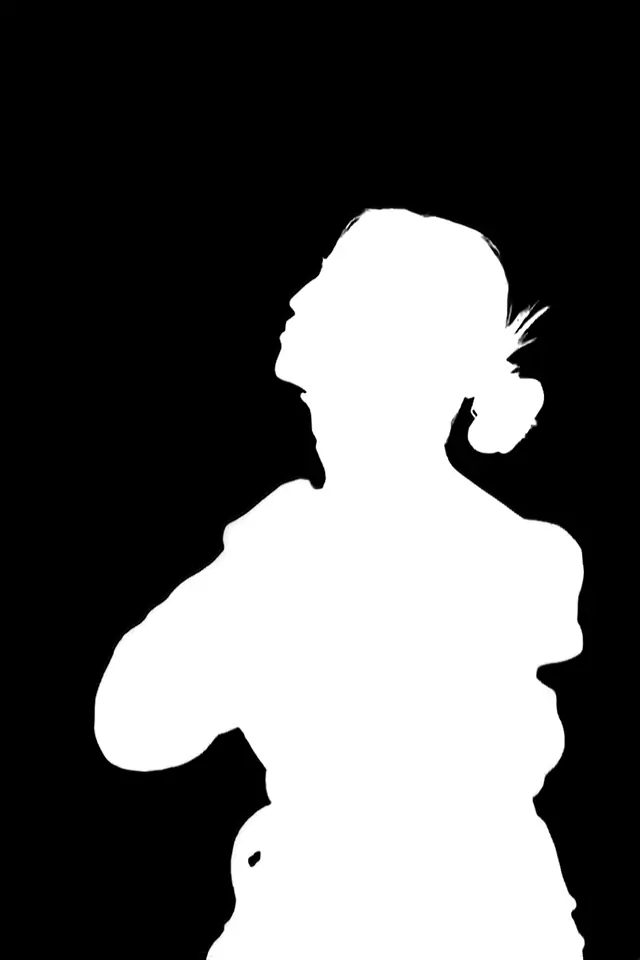

AI background removal is usually understood as if the model takes an image, finds the background, and just removes it. That is close enough for a button label. Underneath, the useful part is almost the reverse: estimate how much of the intended foreground contributes to every output pixel, then use that estimate to build a mask or alpha channel.
A hard product silhouette, a strand of hair, and a clear drinking glass ask a model very different questions. One of those cases may support a clean foreground/background label. The others contain mixed pixels whose color came from both sides of the boundary.
A modern system therefore looks less like one clever eraser and more like a full image pipeline. It decodes and normalizes the source, predicts the subject, identifies uncertain areas, refines the edge, and packages the result into something a browser, marketplace, or design tool can use in prod.
The pipeline
The model predicts a mask; the product turns it into a useful image.
- The source is decoded, oriented, and prepared for the model.
- A segmentation stage estimates foreground membership using local detail and broader context.
- Confidence can guide a second pass over uncertain pixels.
- The resulting mask or alpha matte controls transparency or compositing.
- Format, resizing, and edge-color handling decide whether the good prediction still looks good at the end.
01
Start with the thing we are trying to produce
An ordinary RGB image stores red, green, and blue values. A transparent PNG adds alpha (a value that describes how opaque each pixel should be). Alpha near 1 keeps the foreground pixel opaque; alpha near 0 makes it transparent; values between them preserve a partial contribution.
Mask
A map of what belongs to the foreground. Older models use binary masks (black and white) while modern approaches use grayscale to show which regions partially belong to each the foreground and the background.
Alpha matte
A continuous opacity map. It is especially useful where pixels mix subject and background, such as hair, blur, smoke, or transparent material.
Cutout
Foreground color paired with alpha, commonly stored as RGBA PNG. This is what people usually mean by a transparent result.
Composite
The cutout rendered over a chosen background. A white JPEG is a composite, not a transparent file wearing a white sweater.
The system is not normally reconstructing the scene behind the subject. If a chair hides half the wall, background removal does not reveal the real hidden paint texture; it makes the chair region transparent or replaces the visible background according to the requested output. Generative fill is a separate task.
02
The image gets prepared before the interesting part
Uploaded images arrive with different dimensions, formats, orientations, color profiles, and levels of enthusiasm about following standards. Before inference, a pipeline has to decode the bytes, apply orientation metadata, choose a color representation, and produce the tensor shape the model expects.
| Step | Why it exists | Failure when skipped |
|---|---|---|
| Decode | Turn JPEG, PNG, WebP, or another format into pixels | Unsupported or corrupt input never reaches the model |
| Orient | Apply camera rotation and mirroring metadata | Prediction and returned image can disagree about geometry |
| Color handling | Map channels into the expected color space and range | Colors shift or model features receive unfamiliar values |
| Resize / pad | Fit the model input while preserving useful geometry | Distortion, clipped content, or wasted resolution |
| Normalize | Transform numeric values into the training convention | The same image becomes out-of-distribution numerically |
The exact sequence depends on the model and service. This is the general contract, not a claim about one undisclosed production implementation.
Resizing is a tradeoff. Models often work at a bounded internal resolution, while users want outputs close to the source dimensions. A pipeline may predict at one scale and map the result back to another. Thin details can be lost if the working scale is too small; naive upsampling can soften or stair-step a mask on the way back.
Input resolution is not output resolution
Returning a full-size PNG does not prove every model stage ran at full source resolution. Judge the edge at the delivered size and avoid inferring internal compute from the file dimensions.
03
The network estimates what belongs to the foreground
A segmentation network converts image patterns into a spatial prediction. Early representations capture local signals such as edges, colors, and textures. Deeper representations combine those signals across larger parts of the image, which helps the system recognize that a curved dark strip is a handbag strap rather than a line painted on the wall.
Local detail is needed for spokes, hair, lace, and sharp corners. Global context keeps the model from treating every contrast edge as a separate object. Architectures combine those scales in different ways, including convolutions, attention, multiview patches, and encoder-decoder paths.
The raw output is often a field of logits rather than a finished transparent image. Passing a logit through a sigmoid produces a value between 0 and 1 that can be interpreted as foreground confidence for the next stage. A threshold could turn that map directly into a hard mask, but doing so throws away the model’s uncertainty.
04
A second pass can spend its effort on uncertainty
The center of a solid foreground object and a distant patch of empty background are rarely the controversial pixels. Uncertainty clusters around transitions, fine detail, similar colors, holes, reflections, and unusual context. A refinement stage can use that uncertainty as an explicit guide.
That is the idea behind Confidence-Guided Matting in the BEN architecture we published. BEN Base creates an initial segmentation. Its confidence map is converted into a trimap: values at or above 0.95 become definite foreground, values at or below 0.05 become definite background, and every value between them becomes the unknown region. The original image and this guide feed BEN Refiner.
BEN's training objective combines weighted binary cross-entropy, weighted IoU, and weighted structural similarity across local, global, and token-scale outputs. The paper does not publish a full block-by-block Refiner architecture, so adding one to an explainer would be fan fiction with diagrams.
Our research
BEN: Using Confidence-Guided Matting for Dichotomous Image Segmentation
05
The mask becomes transparency
Once the system has a mask or alpha estimate, it still has to create output pixels. For a transparent cutout, the alpha values are attached to foreground color channels. For a flat result, those colors are combined with a chosen background according to the opacity at each pixel.
Alpha compositing
output = alpha × foreground + (1 - alpha) × backgroundAt alpha 1, the output uses the foreground color. At alpha 0, it uses the new background. At alpha 0.4, both contribute. This is why a partially transparent edge can look natural on many backgrounds while a hard binary edge looks clipped.
There is another catch: the color stored around a soft edge may still contain some of the old background. If a pale studio wall contaminated those pixels, placing the cutout over black can reveal a light halo even when the alpha shape is reasonable. Decontaminating foreground color and handling straight versus premultiplied alpha correctly are some of the most important steps that are pretty easy to forget.
Transparent PNG
Preserves alpha for design and later compositing. Larger than a flattened JPEG, but it keeps future options open.
Flat white or colored output
Useful when the destination requires an opaque image. The background decision becomes permanent in that derivative.
Standalone grayscale output
Useful for editing, measurement, effects, or a later pipeline that wants to control compositing itself.
06
How researchers know whether a change helped
Segmentation papers compare predictions with ground-truth masks using measures such as IoU, Dice, MAE, F-measure, E-measure, structure measure, balanced error rate, and accuracy. Each summarizes a different property, which is why serious evaluation usually reports several rather than selecting the one that behaved most politely.
BEN Base + Refiner
0.899 Dice DIS5K validation result reported in the paper.BEN Base + Refiner
0.851 IoU Compared with 0.837 for BEN Base.BEN Base + Refiner
0.027 MAE Compared with 0.031 for BEN Base.The refinement result leads the paper’s table on weighted F-measure, E-measure, structure measure, and MAE. It does not lead on max F-measure: BEN Base reports 0.923, while Base + Refiner reports 0.919. That is a useful reminder that an architectural change can help most measures without winning all of them.
The reported evaluation uses the DIS5K validation set, one high-resolution segmentation benchmark with 5,470 images in the full dataset. The paper’s comparison table sources external competitor results from DiffDIS. There are no speed, throughput, hardware, or cost results, and no statistical significance tests. The safe conclusion is that confidence-guided refinement improved several reported validation metrics—not that it is universally faster, pixel-perfect, or best on every future image.
07
The production system wraps the model in real product mechanics
A research model maps prepared tensors to predictions. A usable service also has to accept inputs, reject invalid data, preserve orientation, choose output options, handle failures, and return bytes that downstream software understands. These steps rarely appear in model diagrams. Users notice them immediately when they break.
The wrapper still has real responsibilities
- Validate file type, dimensions, and payload size before expensive processing.
- Keep source fetches and signed URLs reliable when remote input is allowed.
- Map the prediction back to the requested output dimensions without shifting the edge.
- Encode alpha in a format that preserves it.
- Return useful errors for decode failures, unsupported inputs, and processing failures.
- Version the pipeline and keep representative outputs so quality changes can be reviewed.
08
What the model cannot know from pixels alone
A model can estimate the most likely foreground under the policy represented in its training data. It cannot read the user’s mind. It does not know whether a wedding photographer wants to keep the veil, whether an ecommerce team considers a mannequin part of the product, or whether a designer wants the dramatic shadow that grounds a sneaker.
It also cannot reveal the real scene hidden behind an opaque subject. It cannot guarantee perfect recovery of a feature smaller than the captured pixels. And it cannot turn glass into a physically exact foreground without making assumptions about foreground color, opacity, and the background seen through it.
The useful goal is not a model that never encounters ambiguity. It is a system that handles common ambiguity well, exposes the important failures, and returns an asset that fits the job.
A practical definition of “works”