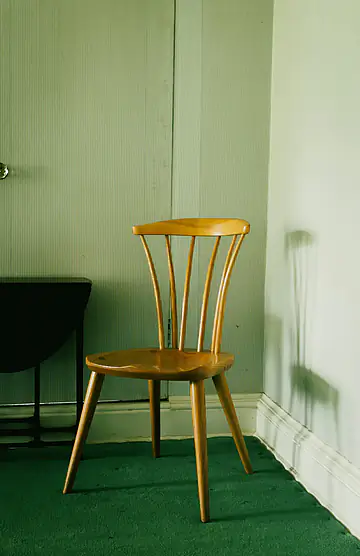


A transparent cutout is useful, but it is often only halfway done. A catalog needs the product on white. A campaign needs it on a texture. A marketplace has its own exact canvas and some surprisingly firm opinions about where the object should sit.
Until now, callers handled that second half somewhere else: another image library, a design tool, or a worker whose only job was to combine two assets. That is fine when composition is already a serious part of the product. It is a lot of machinery when the request is simply “put this clean subject on that known background.”
01 / ONE FINISHED RESPONSE
We followed the cutout one step further
API v2 can now take a foreground source and one background source in the same request. The service removes the original background, prepares the foreground, fits the supplied image to the output canvas, composites the two, and returns the encoded result.
The complete request path
The feature is intended for applications that know the final background at request time. It keeps the cutout settings and composition geometry in one request record, which makes a result easier to reproduce later. More importantly, it removes a handoff. Those little handoffs are where color settings and dimensions tend to wander.
02 / INPUTS
File, URL, or base64—with one clear rule
Multipart requests accept bg_image_file, bg_image_base64, or bg_image_url. JSON requests accept the URL and base64 forms. The names are not glamorous, but they line up with the ways applications already move foreground images through the API.
Best when the background already sits beside the product image in a local worker.
Good for large campaign assets already stored in an object store or CDN.
Useful when a JSON-only transport is unavoidable, with the usual size expansion.
Sending multiple sources returns a structured multiple_bg_images error.
The background is validated as an image and passes the same byte and decoded-pixel safety checks as the main input. Bad downloads, malformed base64, and undecodable bytes receive different error codes. They are different failures, and flattening them into “invalid image” makes production debugging needlessly slow.
03 / CANVAS GEOMETRY
Fit answers “how big?” Position answers “which part?”
bg_fit supports three modes. Cover fills the canvas and crops any overflow. Contain shows the entire background, filling spare canvas with bg_color. Stretch forces the image to the output dimensions, whether or not its original proportions agree.
Cover
- No empty canvas.
- Some source area may be cropped.
- Usually the natural choice for photography.
Contain
- The full background remains visible.
- Letterboxed space uses the chosen color.
- Useful when the background itself must not be cropped.
bg_position determines where cover cropping or contain placement lands: center, the four edges, or any corner. Center remains the default. A campaign can keep the subject settings constant and move between a centered studio wall and a left-weighted scene simply by changing request data.
04 / COMPOSITING ORDER
Foreground cleanup happens first
The foreground is built before it meets the background. Output sizing, an optional tight crop, and green despill are applied first. Then the background canvas is created and the foreground alpha controls the blend.
A small precedence detail
An image background takes priority when bg_color is also present. The color still matters in contain mode because it fills the regions outside the fitted image.
An alpha-only request is intentionally different. When channels=alpha, the caller is asking for a mask, not a finished scene. Background fields are rejected with background_not_allowed_with_alpha. If a team wants total control over local compositing, the alpha response is still the right primitive.
05 / A SMALL FEATURE ON PURPOSE
This is composition, not a template system
The API does not store reusable scene templates, host a media library, generate a background, or create asynchronous render jobs. It accepts a background you already chose and performs deterministic fit, placement, and compositing.
That boundary is deliberate. Teams can keep source and campaign assets in their own storage, record the exact request beside the finished image, and swap in their own renderer whenever their needs become more elaborate. For the common case, one synchronous call now gets from a source photo to bytes that are ready for the next system.
Send one foreground source, one background source, and the geometry you want. The current request options include examples for multipart and JSON callers.
View background replacement options